CareTV: Building an Assistive Media Operating Layer in a Real Home
CARETV: BUILDING AN ASSISTIVE MEDIA OPERATING LAYER IN A REAL HOME
August 15, 2026
Daily build:
https://8k.art/beta/_daily-builds/2026-08-15/
LoopDude:
https://loopdude.com
Fair-use research domains:
https://fairuse.org
https://fairuse.com
This is a development note from a real home, not a hypothetical accessibility exercise.
My mother has severe memory loss. She can still enjoy television, recognize people she loves, read a large obvious label, use power and volume when the buttons make sense, and participate in ordinary life. What repeatedly fails her is the assumption built into modern consumer electronics that the user can remember a hierarchy of apps, inputs, home screens, menus, remotes, promotional surfaces and recovery procedures.
That is the problem CareTV is trying to remove.
The design principle is simple:
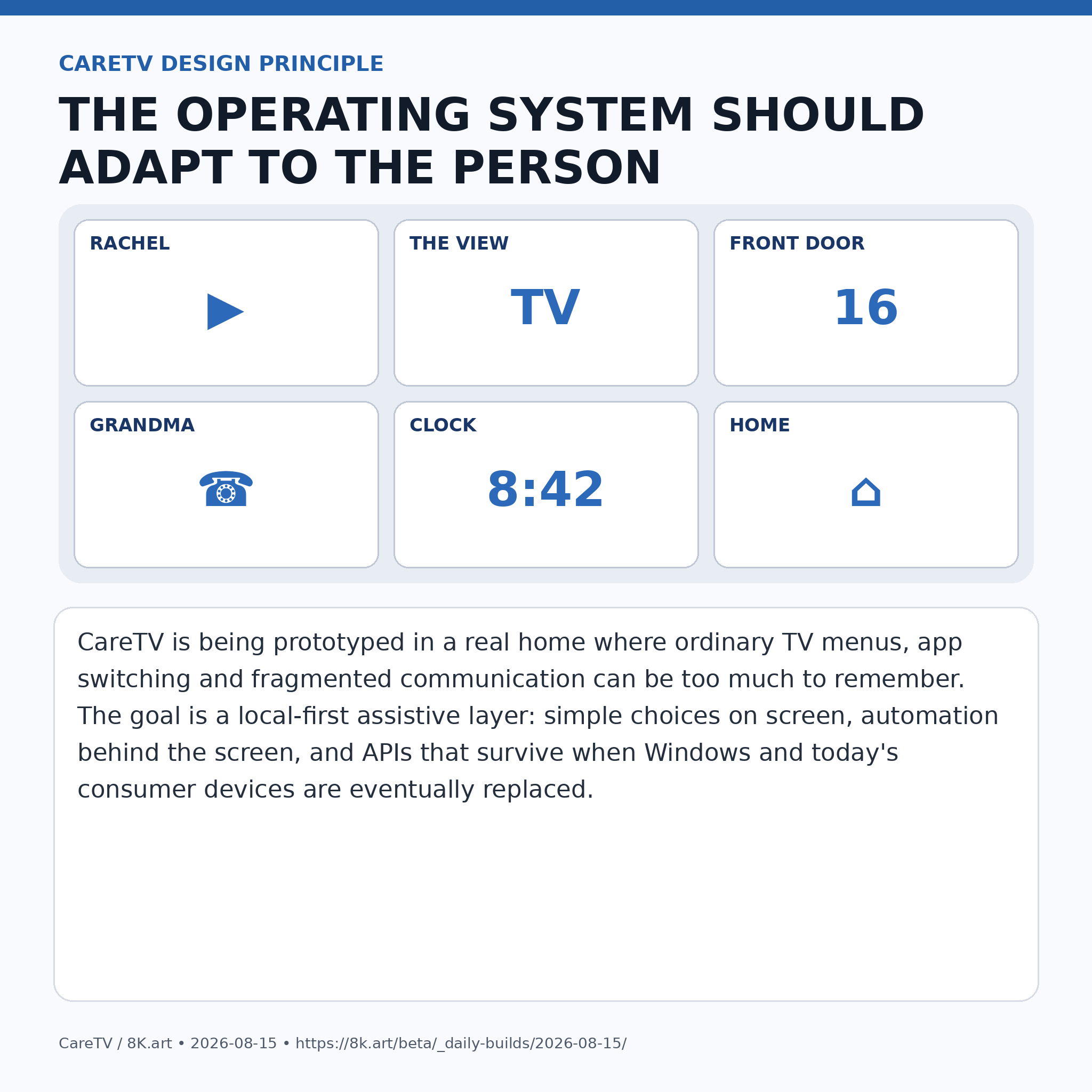
THE PERSON SHOULD NOT HAVE TO ADAPT TO THE OPERATING SYSTEM.
THE OPERATING SYSTEM SHOULD ADAPT TO THE PERSON.
Today the prototype is still primitive. There is a Windows PC in Mom's room. Chrome is open. YouTube TV works. It is not yet a finished kiosk appliance. The voice layer is not yet installed. The automatic recovery agent is not yet complete. But that is exactly why this is a useful development environment: every failure is visible immediately, in a real household, with an actual person whose cognitive limitations make bad interface assumptions impossible to ignore.
For example, if the television is on HDMI 1 and Mom hits power, the Fire TV environment can wake into its own screensaver or menu system. Interrupt the screensaver and she may suddenly be looking at a completely different interface. The computer is still on HDMI 1, but now the television has become an advertising, app-navigation and recommendation environment again. A person with intact working memory can recover. A person with severe memory loss may not know what happened.
CareTV's eventual answer is not “teach Mom the Fire TV menu.”
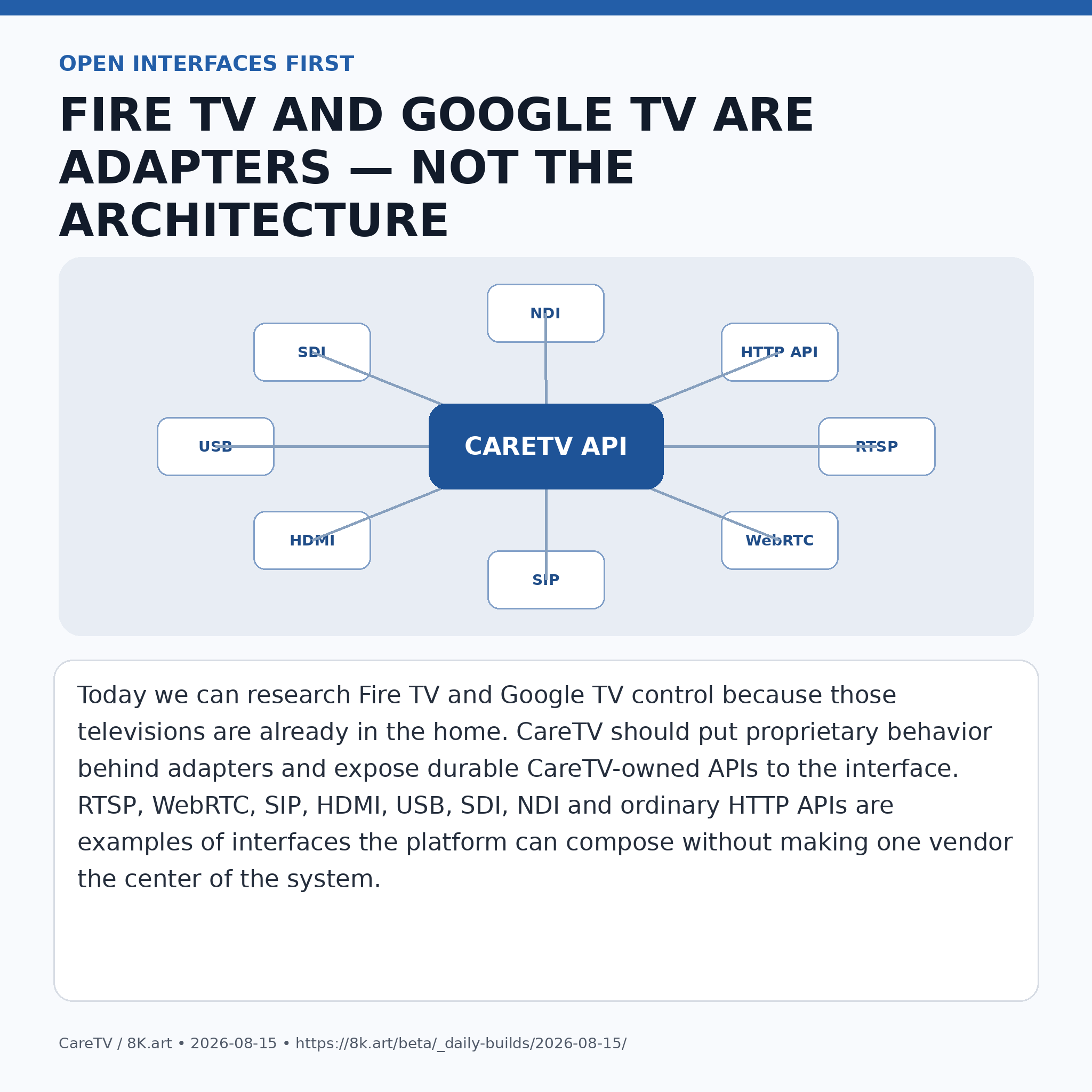
The answer is that CareTV should know which display, input and application state is intended and restore it automatically. Fire TV, Google TV, Windows, Chrome or any future television platform should be an adapter behind a CareTV-owned API. The visible interface should express intent: HOME, RACHEL, THE VIEW, FRONT DOOR, GRANDMA, CLOCK. Device-specific control belongs behind the interface.
TODAY'S PHYSICAL CONTROL
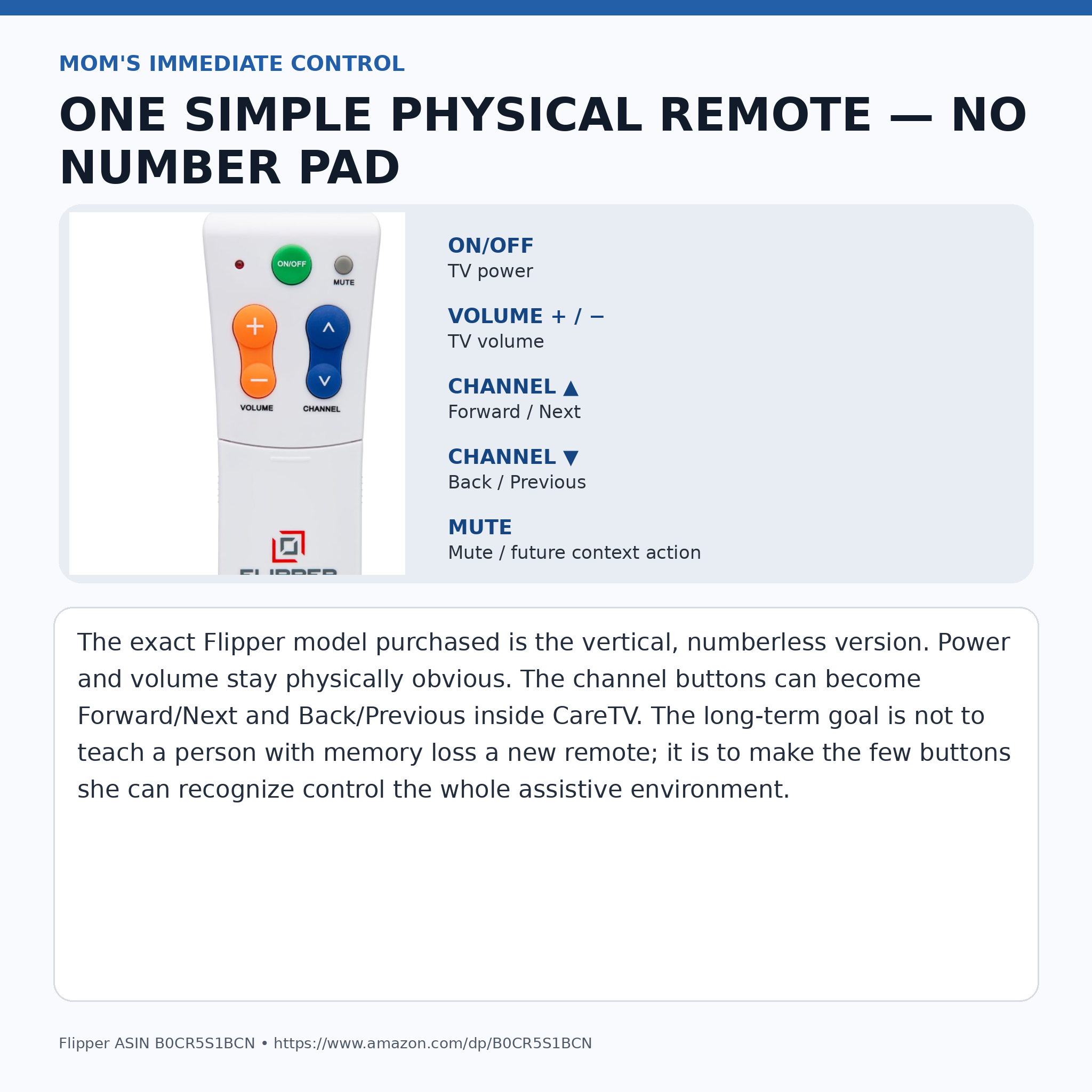
We ordered a Flipper Big Button TV Remote for Seniors/Dementia, the vertical model without a number pad:
https://www.amazon.com/dp/B0CR5S1BCN?ref=ppx_yo2ov_dt_b_fed_asin_title&th=1
The exact model matters. It has a very small vocabulary: ON/OFF, MUTE, VOLUME +/− and CHANNEL ▲/▼. That is almost perfect for this prototype.
Power remains power.
Volume remains volume.
Channel Up can become Forward / Next.
Channel Down can become Back / Previous.
We do not need Mom to understand “channels” in the 1980s sense. Once CareTV owns content selection, those two big blue buttons can become general navigation controls. Later voice can supplement them, but the physical remote remains valuable because it is tactile, visible, familiar and does not require her to remember a phrase.
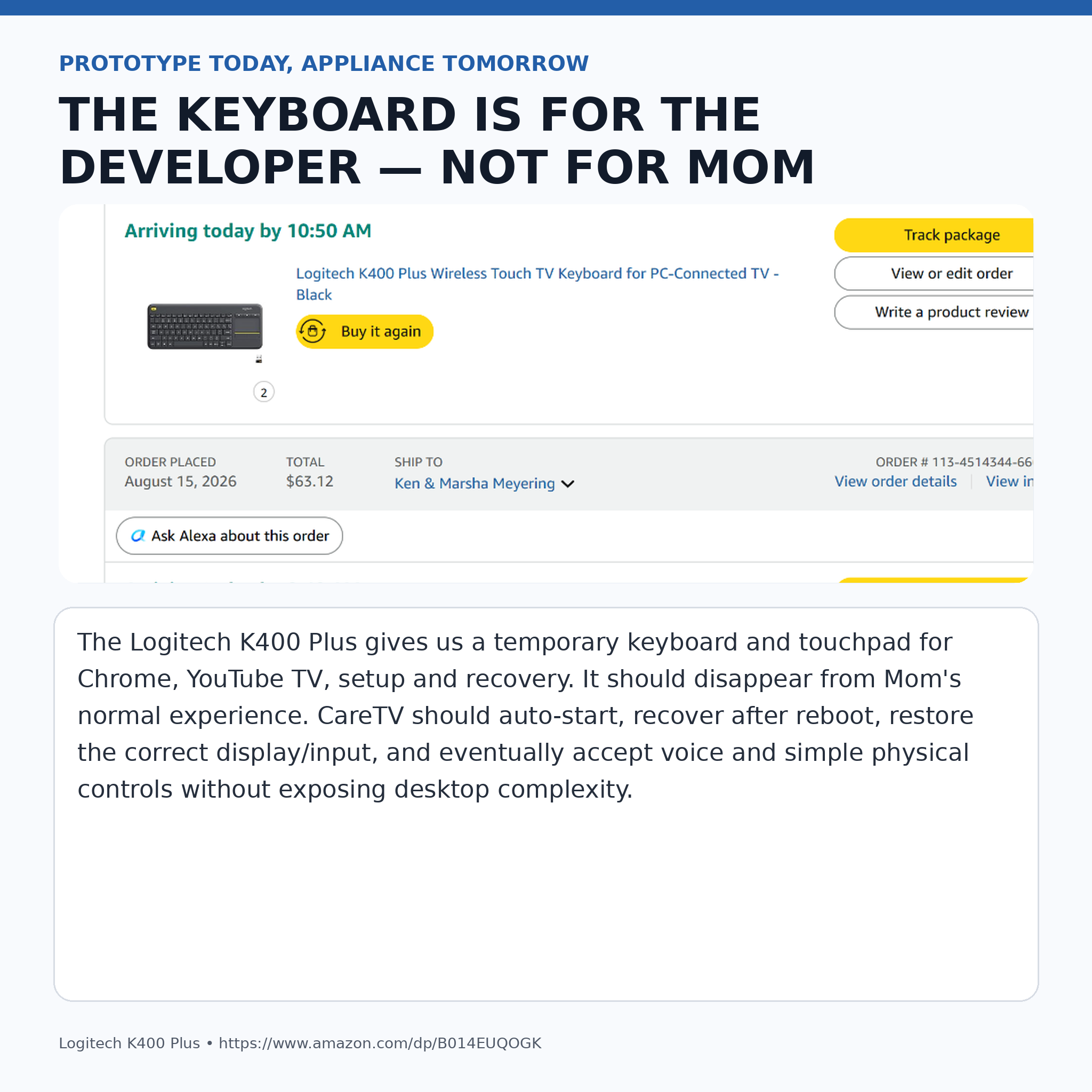
We also ordered a Logitech K400 Plus wireless keyboard/touchpad:
https://www.amazon.com/dp/B014EUQOGK
The K400 is not Mom's interface. It is the developer and maintenance control during the Windows/Chrome prototype stage. I can use it to configure the machine, recover a browser, test YouTube TV, or make changes without walking a full desktop keyboard into the room. In a mature CareTV appliance it should be unnecessary most of the time.
THE DEMENTIA CLOCK
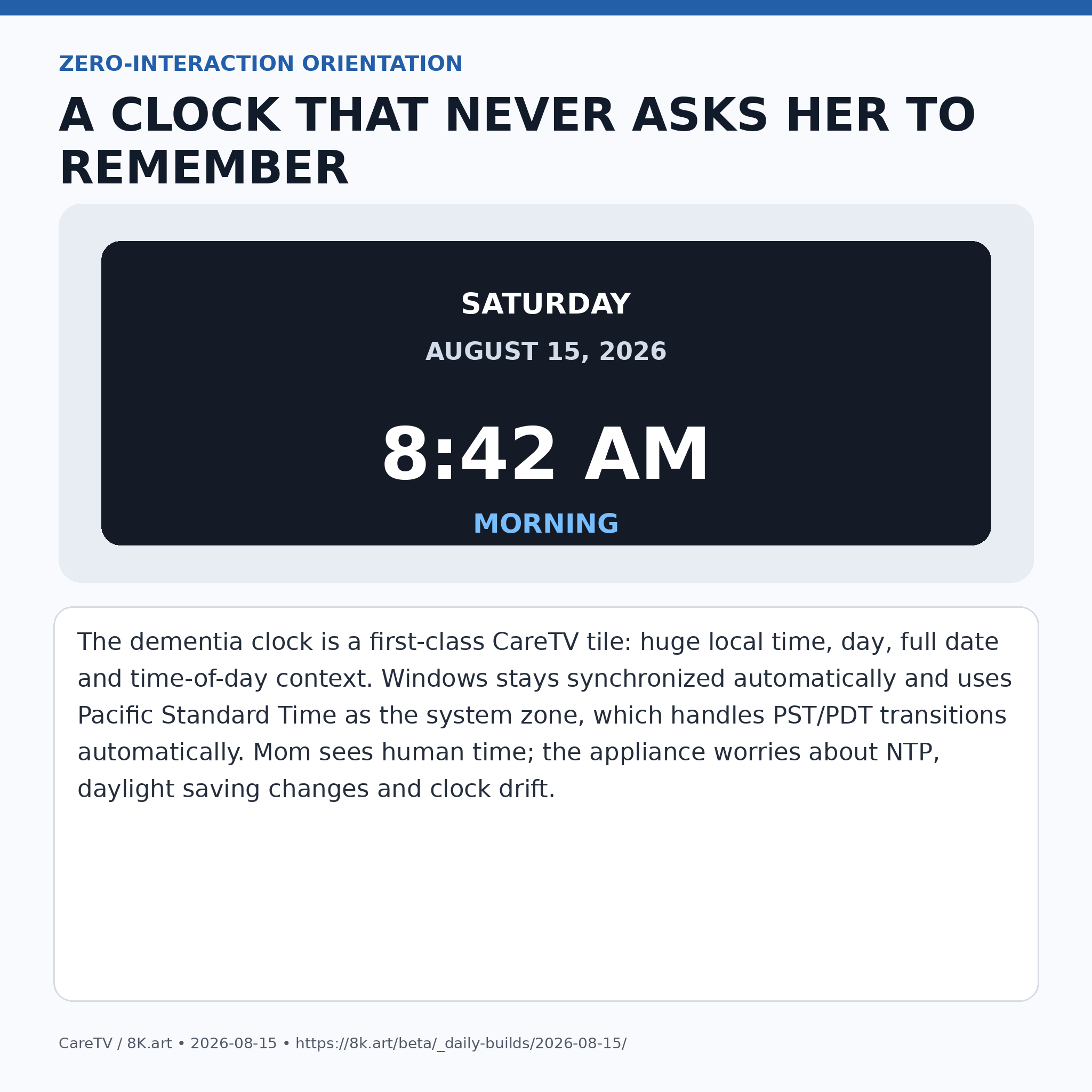
Mom also wants a dementia clock tile. This should not be a little Windows widget. It should be a first-class CareTV screen designed to be read from across the room:
SATURDAY
AUGUST 15, 2026
8:42 AM
MORNING
The computer should synchronize time automatically. The system timezone can remain “Pacific Standard Time,” which is Windows' timezone identifier for the Pacific region and automatically handles the PST/PDT transition. Nobody in the house should ever have to remember to change the clock for daylight saving time. CareTV can monitor clock health and resynchronize if drift becomes meaningful.
COMMUNICATION SHOULD BE A TILE, NOT AN APPLICATION
The same principle applies to family communication.
Mom should be able to see:
GRANDMA
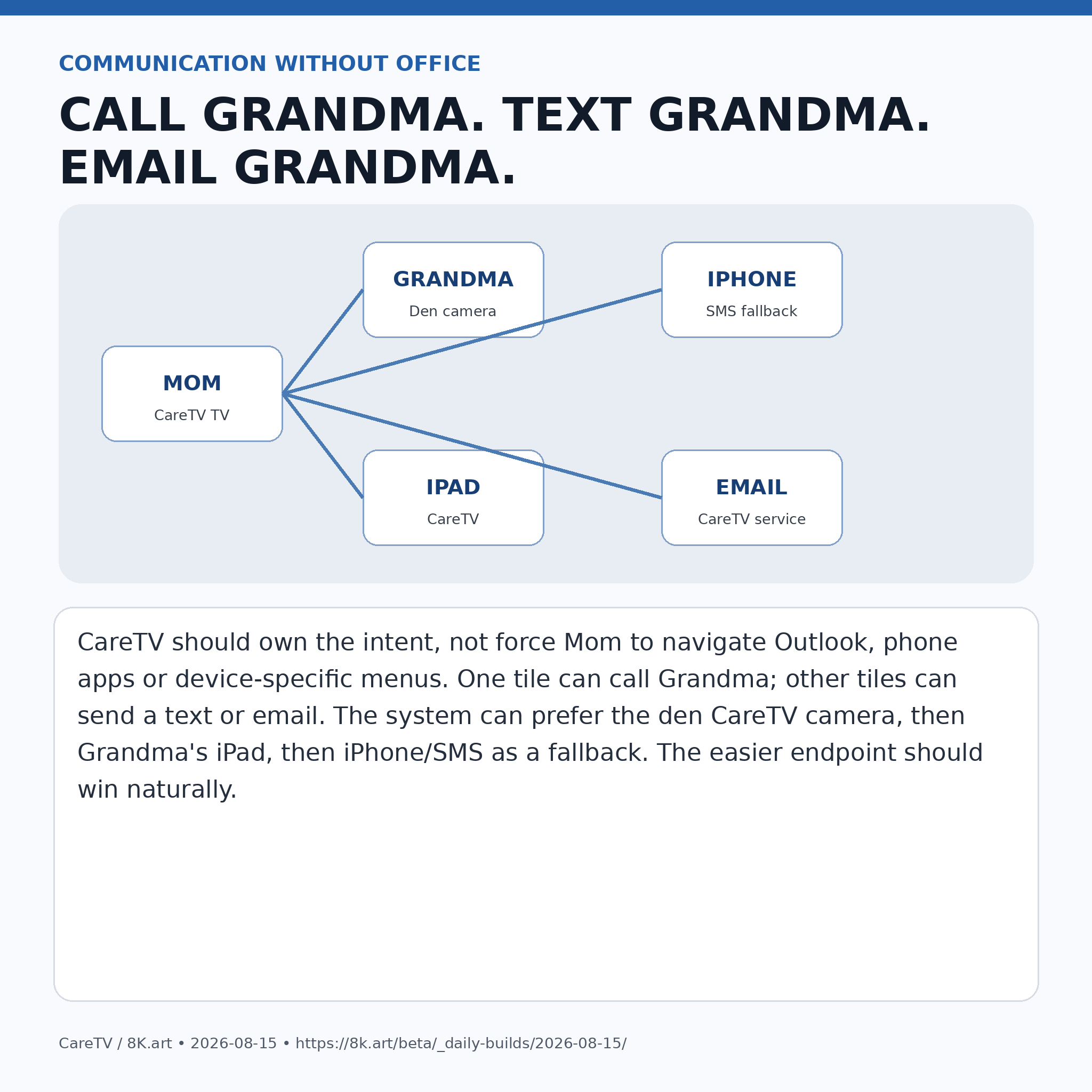
TEXT GRANDMA
EMAIL GRANDMA
There is no reason to install Microsoft Office on this machine. Sending an email is an intent. CareTV can send it through an API or service. Texting is an intent. Calling Grandma is an intent.
Grandma currently uses an iPhone and iPad. Eventually I would like the system to gently make the larger, simpler endpoint more attractive without lecturing her about technology. If the den CareTV camera is available, use that. If not, prefer the iPad. If necessary, fall back to the iPhone or ordinary SMS. The system should route the communication; the family member should not have to understand the routing table.
A future one-button family call should feel more like walking into the next room than operating a videoconferencing product.
MEDIA MEMORY: “REMEMBER THIS”
There is another requirement that grows directly out of the memory problem.
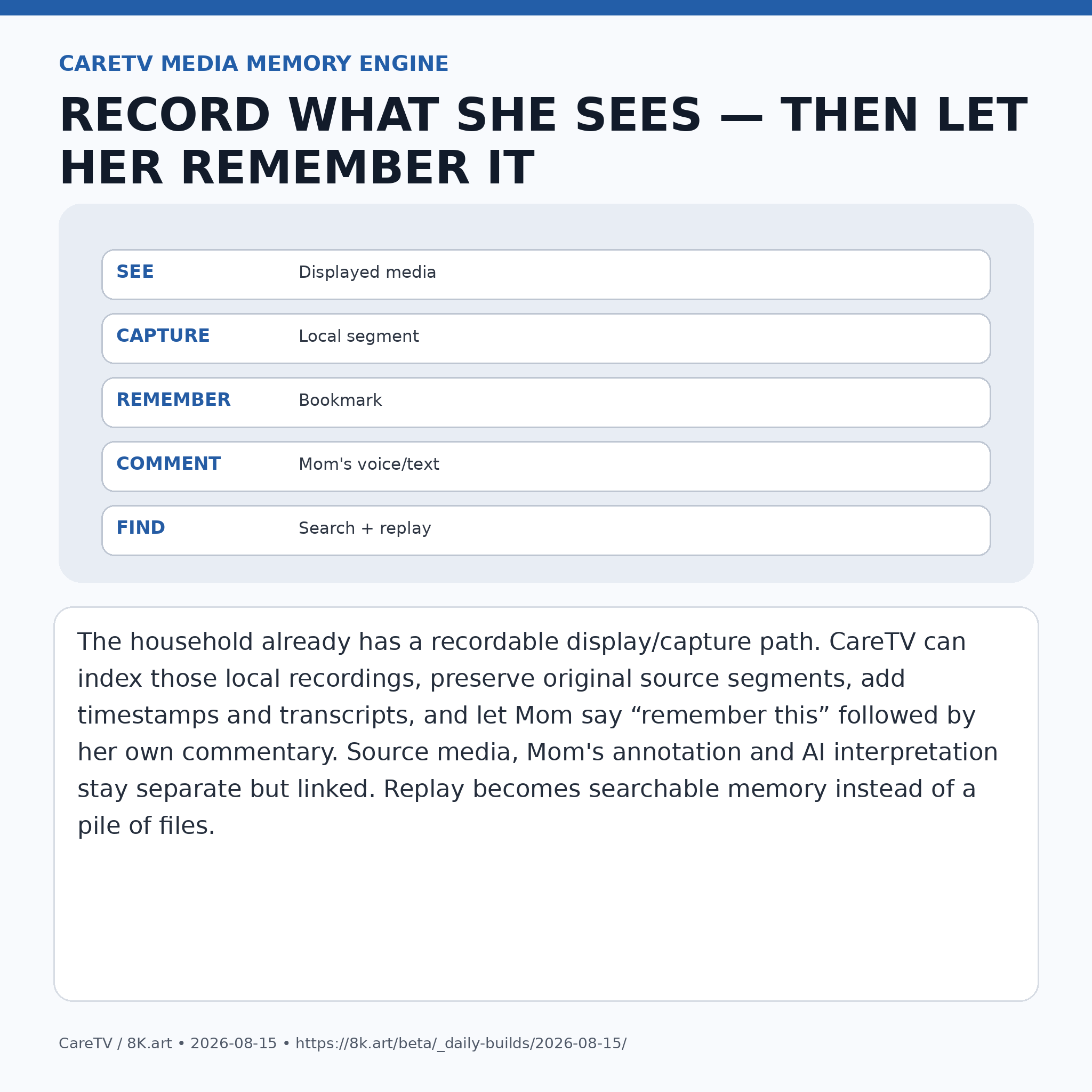
Mom should be able to preserve what she is seeing and add her own commentary to it.
Our household already has a hardware capture workflow. I record display output with a YoloBox. That means the useful engineering question is not whether a commercial streaming application wants to become our archive manager. The useful question is: once a legitimate local recording exists in our workflow, how can CareTV make it cognitively useful?
The proposed CareTV Media Memory Engine is essentially an AI-assisted capture, indexing and annotation service.
It can maintain timestamped recording segments.
It can know which source was displayed.
It can generate searchable transcripts where appropriate.
It can recognize program boundaries and candidate commercial blocks.
It can maintain playback position.
It can let Mom say “remember this.”
It can bookmark the surrounding time.
It can then record Mom saying, “I want Ken to see this because...”
It can preserve her commentary separately from the original media.
It can allow later searches such as, “Show me what I said about Rachel yesterday.”
That separation matters.
ORIGINAL SOURCE
+
TIMESTAMP
+
TRANSCRIPT
+
MOM'S COMMENTARY
+
AI OBSERVATION
The AI should never silently rewrite the source. Commentary and machine interpretation should remain linked to the exact source segment but distinguishable from it.
For replay of local recordings, the two blue buttons on the dementia remote become especially useful. Forward can skip ahead to the next meaningful segment. Back can return to the previous one. If the indexing system identifies a commercial block in a local recording, CareTV can make navigation around that block fast and obvious. For a person dealing with medical limitations and limited attention, saving time is an accessibility feature, not a novelty.
“FRAPS ON STEROIDS”
For my own development workflow, this same subsystem can become much more than a dementia-care recorder.
A good shorthand is an AI version of FRAPS on steroids.
Instead of a pile of manually transferred recordings, the service can capture a desktop, DeckLink input, camera, RTSP stream, NDI source or other supported media source; create rolling segments; hardware-encode with the GPU where appropriate; write directly to local SSD or network storage; generate proxies; index everything; and expose the archive through an API.
That could eventually replace a large part of my current YoloBox file-transfer workflow.
Capture should become a service:
capture → segment → store → index → search → annotate → export
not:
record → find card/file → copy → rename → move → reopen → process.
The same engine is also useful for high-speed GPU-assisted kaleidoscope production at:
If the renderer owns the pixels, the preferred high-performance path is not necessarily a screen grab. CareTV/LoopDude can acquire a pristine render target or framebuffer, keep the data on the GPU where possible, encode through GPU hardware, and move the result directly to high-speed storage. Screen capture remains the universal fallback.
That opens the door to reproducible 8K production: base image + XML/JSON parameters + deterministic render instructions + output metadata. A three-hour kaleidoscope video does not necessarily need to exist as a three-hour source object in the cloud if the visual can be reproduced from compact source assets and a script.
THE 100GB LAB BACKBONE
This is why the network work happening at the same time is relevant rather than decorative.
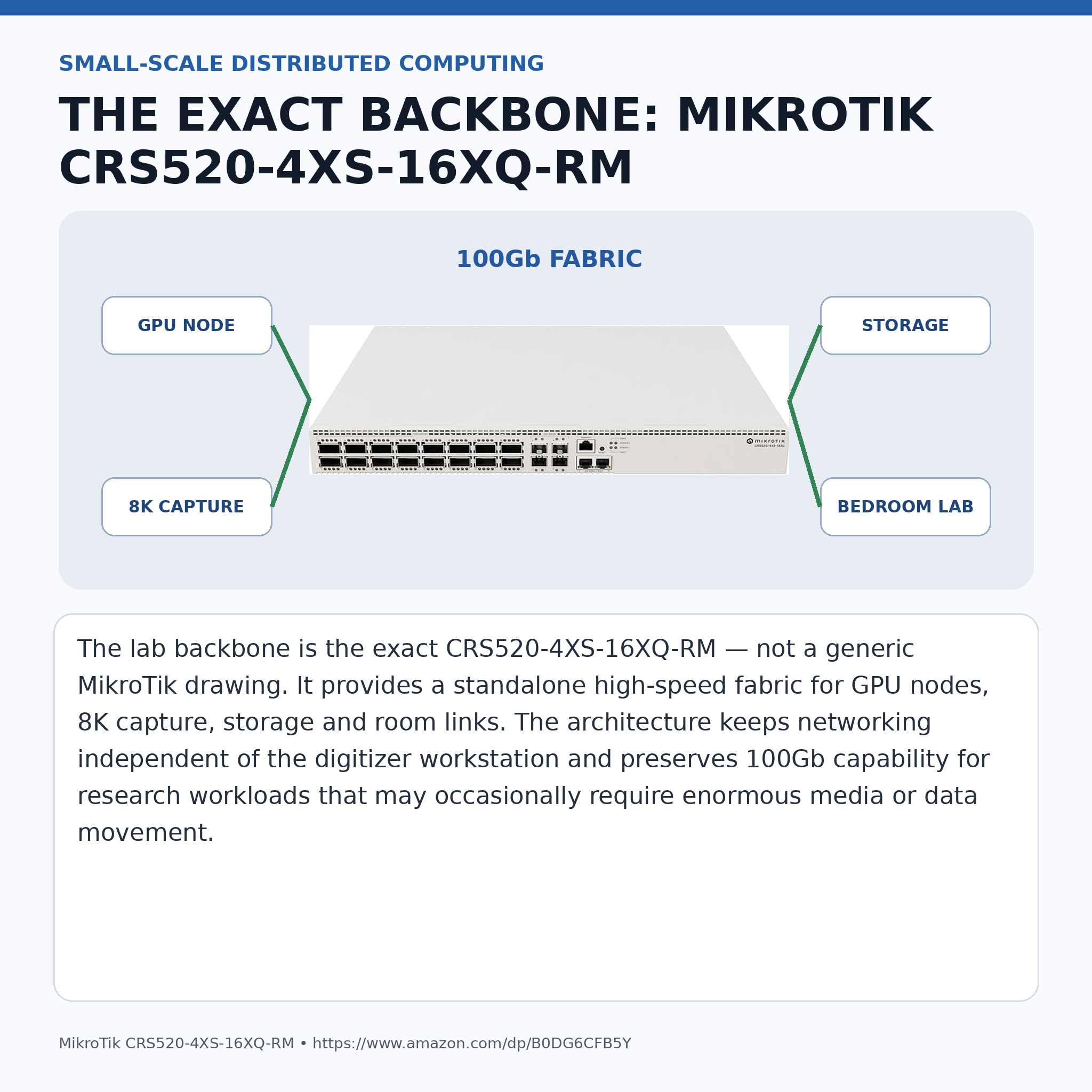
The exact backbone switch purchased for the lab is the MikroTik CRS520-4XS-16XQ-RM:
https://www.amazon.com/dp/B0DG6CFB5Y
It is important that our technical diagrams use this exact model, not a generic switch that merely looks “networky.” The CareTV/8K Lab design uses a standalone network appliance so the digitizer workstation is an endpoint, not infrastructure.
The point of a 100Gb fabric is not that Mom's clock tile requires 100 gigabits per second. Of course it does not.
The point is that the same research environment may contain 8K capture, GPU render nodes, shared SSD storage, AI processing, multiple simultaneous video sources and future uncompressed or minimally compressed research paths. Ordinary CareTV traffic can remain compressed and efficient while the laboratory retains the ability to move huge data sets when a research task requires it.
This is small-scale distributed computing in a house.
A school, college, media lab, robotics lab or AI laboratory can apply the same architecture at its own scale: independent compute nodes, shared storage, a real high-speed switching fabric, APIs, observability, reproducible jobs and open interfaces.
THE SWANN SYSTEM IS SIXTEEN CHANNELS
Another documentation correction is worth making explicit.
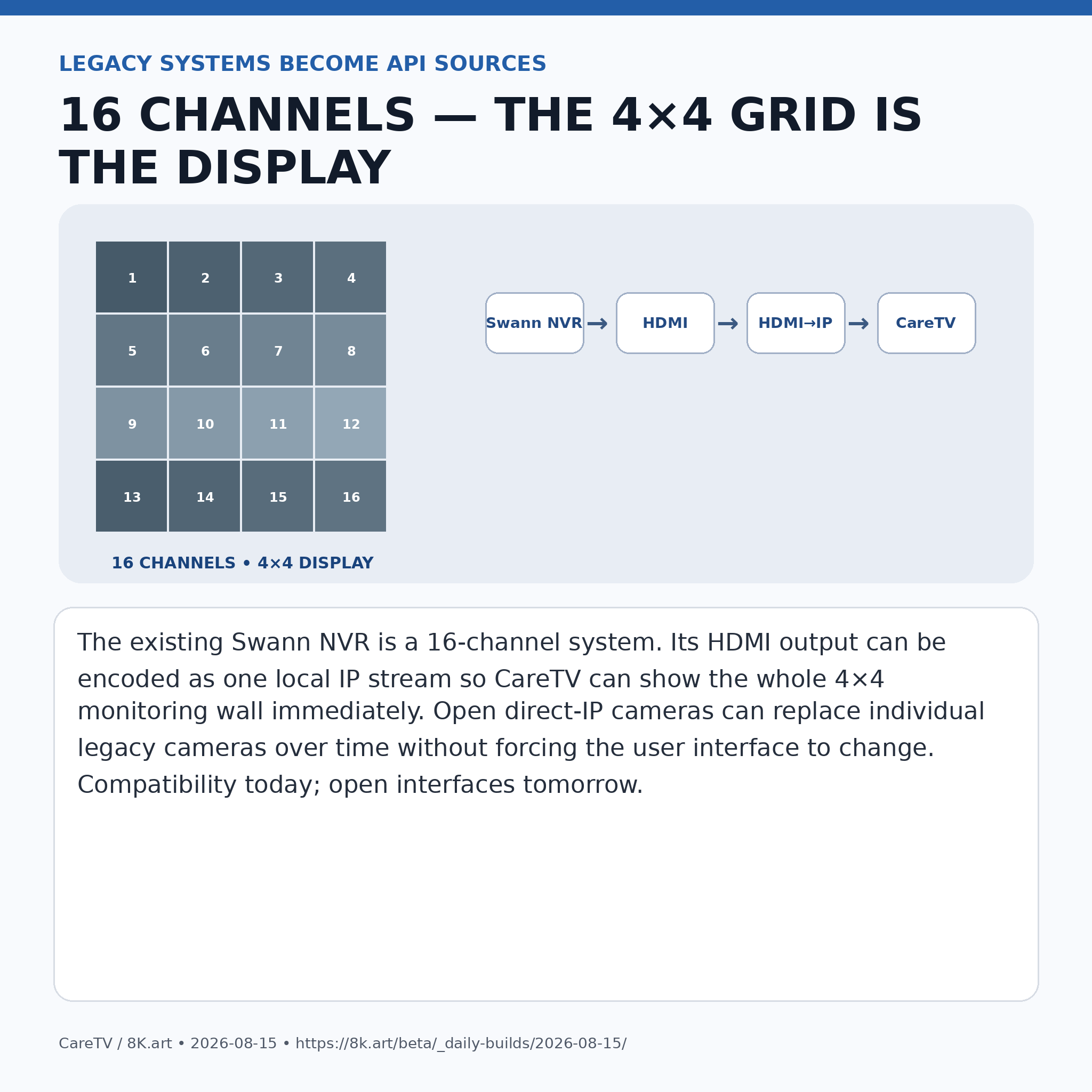
The existing Swann NVR is a 16-channel system.
The familiar camera wall is displayed as a 4×4 grid. “4×4” describes the display arrangement. It does not mean the recorder has four channels.
The temporary compatibility bridge is simple:
Swann 16-channel NVR HDMI output
→ HDMI-to-IP encoder
→ local IP stream
→ CareTV
That gives CareTV immediate access to the complete legacy monitoring wall while we gradually replace proprietary cameras with open direct-IP sources. The visible FRONT DOOR tile does not need to care whether today's source is the whole Swann grid, one direct camera,
CareTV is not primarily a smart-TV project. It is an assistive media operating layer.
Can the person in the room use it?