CareTV Portable Storage, Rebuilder & Index Backup Layer
Make the file server genuinely plug-and-play: hardware-swappable, Windows-to-Linux portable, DrivePool-friendly today, open-system friendly tomorrow, and always recoverable from the media itself.
The files are the truth. The index is a rebuildable acceleration layer.
Daily-build copy: /beta/_daily-builds/2026-08-26/caretv-storage-portability-rebuilder-spec-v002.html
Proposed permanent canonical copy: /beta/_docs/caretv-storage-portability/
1. Non-negotiable invariant
CareTV must never require a particular Windows installation, drive letter, StableBit DrivePool database, hostname, RAID controller, motherboard, or Linux distribution in order to understand the media collection.
If the server dies, the drives must be movable to another machine. If Windows is replaced by Linux, the media must remain discoverable. If every derived database is deleted, CareTV must be able to rebuild its catalog by scanning the storage.
2. Portable namespace
All authoritative references use paths relative to a logical root named CareTV. Operating-system mount points are adapters, not identity.
DrivePool can aggregate disks on Windows now. A Linux pooling layer such as mergerfs, or another open storage implementation, can later present the same logical namespace. Migration does not require rewriting every media record merely because the mount path changed.
3. Every storage volume gets a tiny identity marker
Each participating physical volume should contain a human-readable marker such as .caretv-volume.json. It records a CareTV volume UUID, friendly label, creation date, role, and format version. The volume UUID survives changes in drive letters and machine names.
{
  "format": "caretv-volume/v1",
  "volume_id": "uuid",
  "label": "MEDIA-SSD-01",
  "role": "media",
  "created_utc": "..."
}
The marker helps automatic adoption, but the system can still rebuild from ordinary files if a marker is missing.
4. Canonical portable index set
manifest.jsonl
One media object per line. Relative path, size, timestamps, hashes, media metadata, and known copies.
files.csv
Simple human-readable/exportable inventory for spreadsheets and emergency inspection.
volumes.json
Known physical volumes and their CareTV UUIDs; never treats a Windows drive letter as permanent identity.
snapshots/
Immutable timestamped index snapshots so corruption or accidental edits can be rolled back.
checksums/
Fast BLAKE3 hashes as the normal verification path, with optional SHA-256 exports when broad interoperability is useful.
catalog.sqlite
Optional fast query database. Useful, cross-platform, and disposable: always regenerable from the canonical manifest/media scan.
5. Rebuilder / reindexer commands
SCAN
Discover volumes and recursively inventory media without modifying files.
INDEX
Extract filename, timestamps, size, codec, duration, resolution, frame rate, audio/language metadata and AI-derived labels where available.
VERIFY
Hash files and compare known copies. Report missing, changed, moved, duplicate and damaged objects.
SNAPSHOT
Create an immutable portable index/config backup before hardware or OS changes.
ADOPT
Attach a moved/replaced disk to a new host and reconcile it by volume marker + hashes + relative paths.
REBUILD
Throw away every derived database and reconstruct the full catalog from disks.
The first Windows version should expose these through one obvious launcher, with command-line equivalents for automation and a dry-run mode for any operation that could rename, relocate, or delete files.
6. Local 4TB NVMe ingest state machine
Workstations can write new material to a fast local 4TB NVMe. CareTV indexes and transfers it to shared storage in the background over 100GbE. Local cleanup is allowed only after destination verification.
A successful copy command alone is never permission to delete the local source.
7. Backup generator
The backup generator has two different outputs and must label them clearly:
Metadata Recovery Bundle
Small ZIP containing manifests, volume map, settings, schemas, logs, software version, and integrity hashes. It can be created frequently and stored in several places.
Media Backup Plan
A machine-readable list of which media objects have verified independent copies and which still require another copy. This is not confused with DrivePool duplication.
Nothing in the metadata bundle should be secret by default. Credentials, API keys and service passwords belong outside this portable index and are never silently copied into it.
8. Windows now, Linux later
Windows phase: StableBit DrivePool may remain the convenient aggregation layer. CareTV scans the logical pool and, when useful, the underlying participating volumes. The CareTV catalog remains independent of DrivePool metadata.
Linux rack phase: move or copy media to the garage server, mount/adopt the volumes, present the same logical CareTV namespace, and run REBUILD/VERIFY. Linux does not need to emulate StableBit DrivePool in order to understand the collection.
Long-term Linux storage may use Linux-native filesystems; portability is provided by the CareTV namespace, manifests, hashes and rebuild behavior—not by requiring one filesystem forever.
9. Hardware-swappable acceptance test
A storage release is not considered plug-and-play until it passes this destructive-minded test:
- Generate a metadata recovery bundle.
- Power down the original file server.
- Move a representative set of drives to another machine.
- Install only the public CareTV storage utility.
- Run DISCOVER/ADOPT/REBUILD.
- Recover the same logical relative paths and media identities without depending on the old machine.
- Verify hashes against the prior snapshot.
- Serve the reconstructed namespace to a Windows or Linux client.
No hand-edited database repair should be required.
10. Relation to the Open Media Fabric
The storage layer is foundational infrastructure for the broader CareTV Open Media Fabric: 8K nonlinear playback, multilingual program assembly, JavaScript/GPU graphics, headless OBS-derived streaming services, open surveillance, browser KVM, mobile/macOS/Android ingest, AI naming, and garage-rack compute all benefit from the same addressable media namespace.
The workstation can therefore become disposable compute: local NVMe provides speed, while identity and durable media live in the shared fabric.
11. Physical stories behind the requirement
Click any image to view it as large as your screen allows. Click again, press Escape, or use the close button to return.
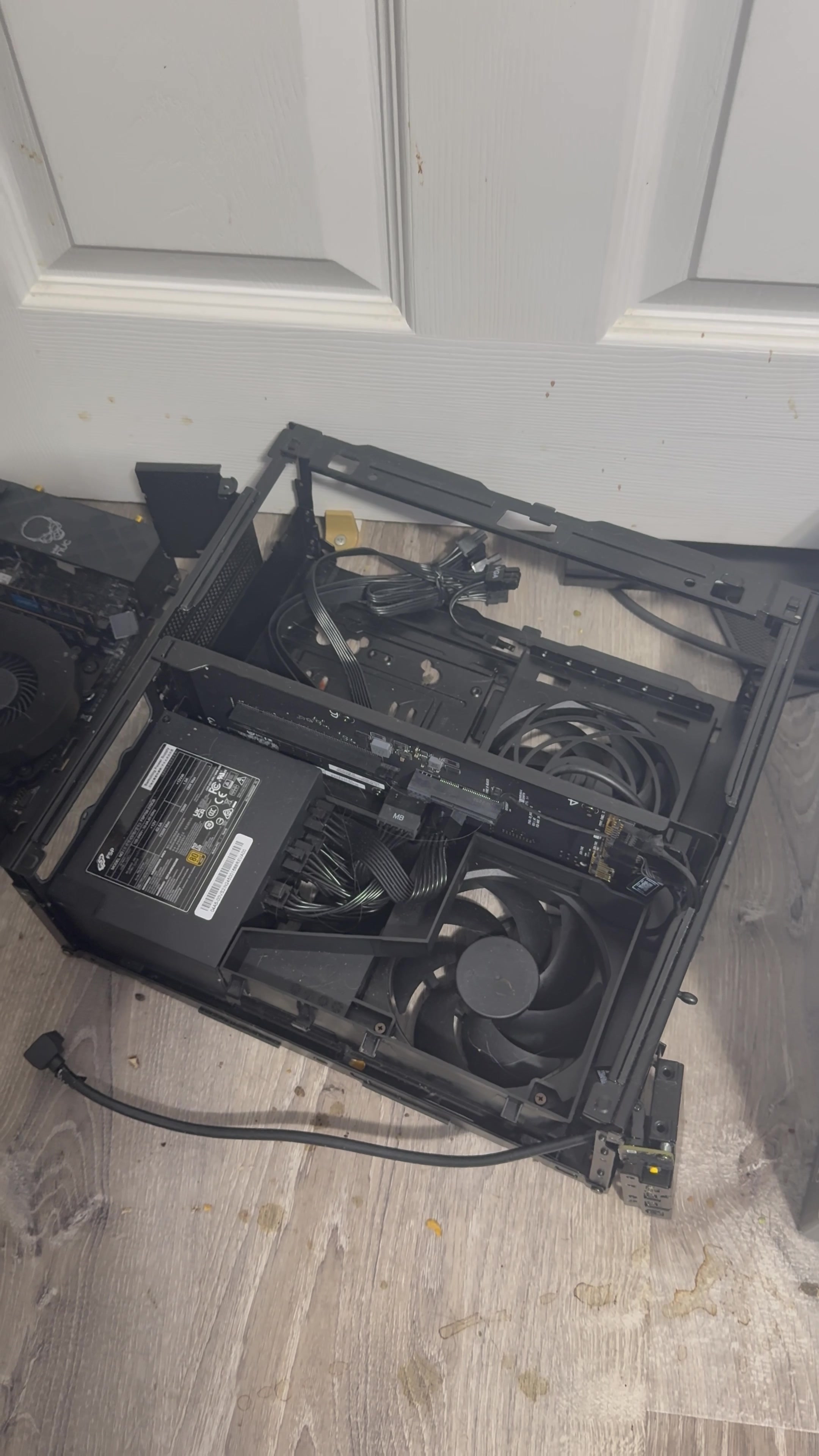
Avoid over-compact. NVMe access must never require archaeological disassembly.
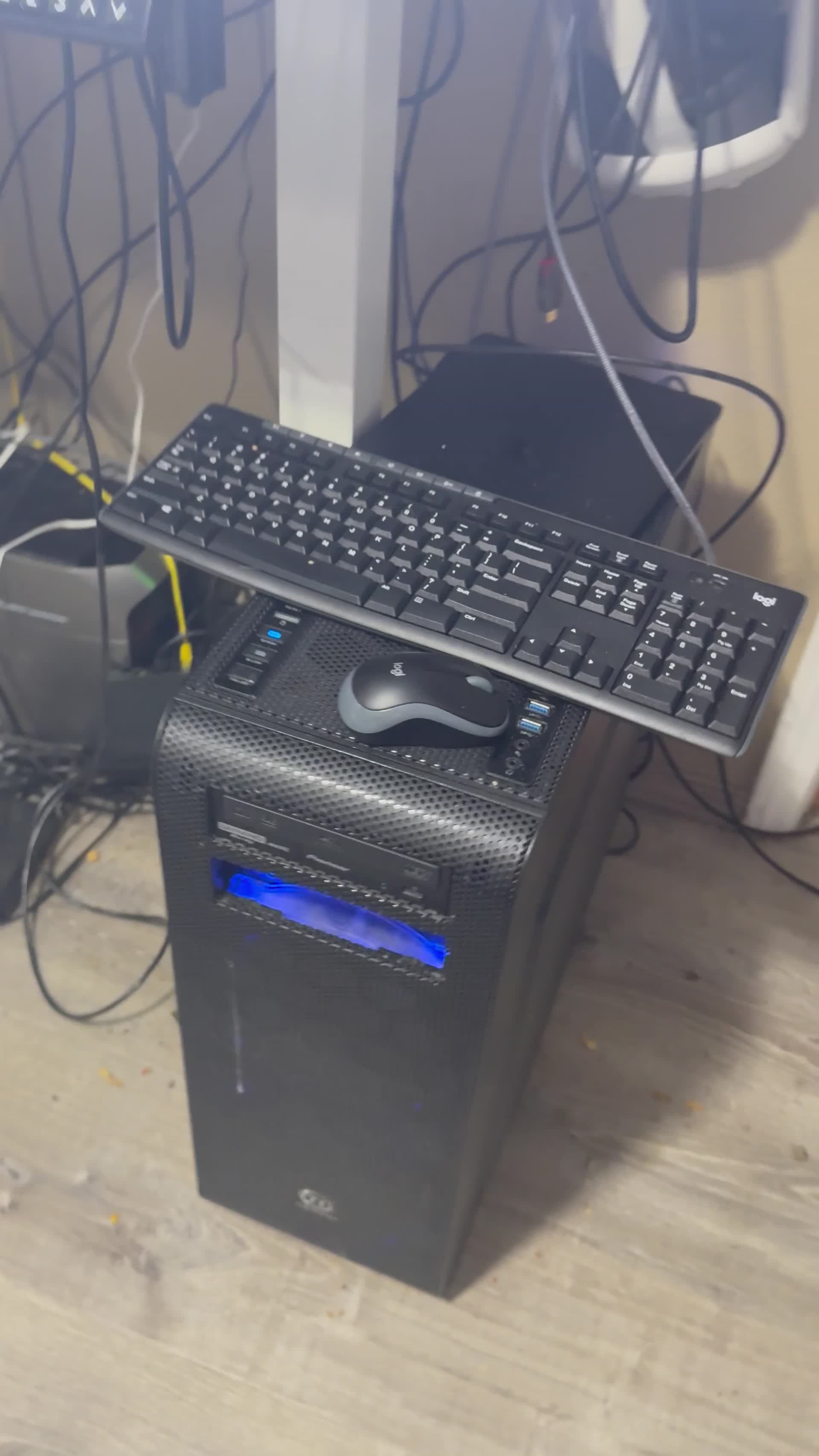
Avoid over-large. The office reference machine must remain carryable and pleasant to access.
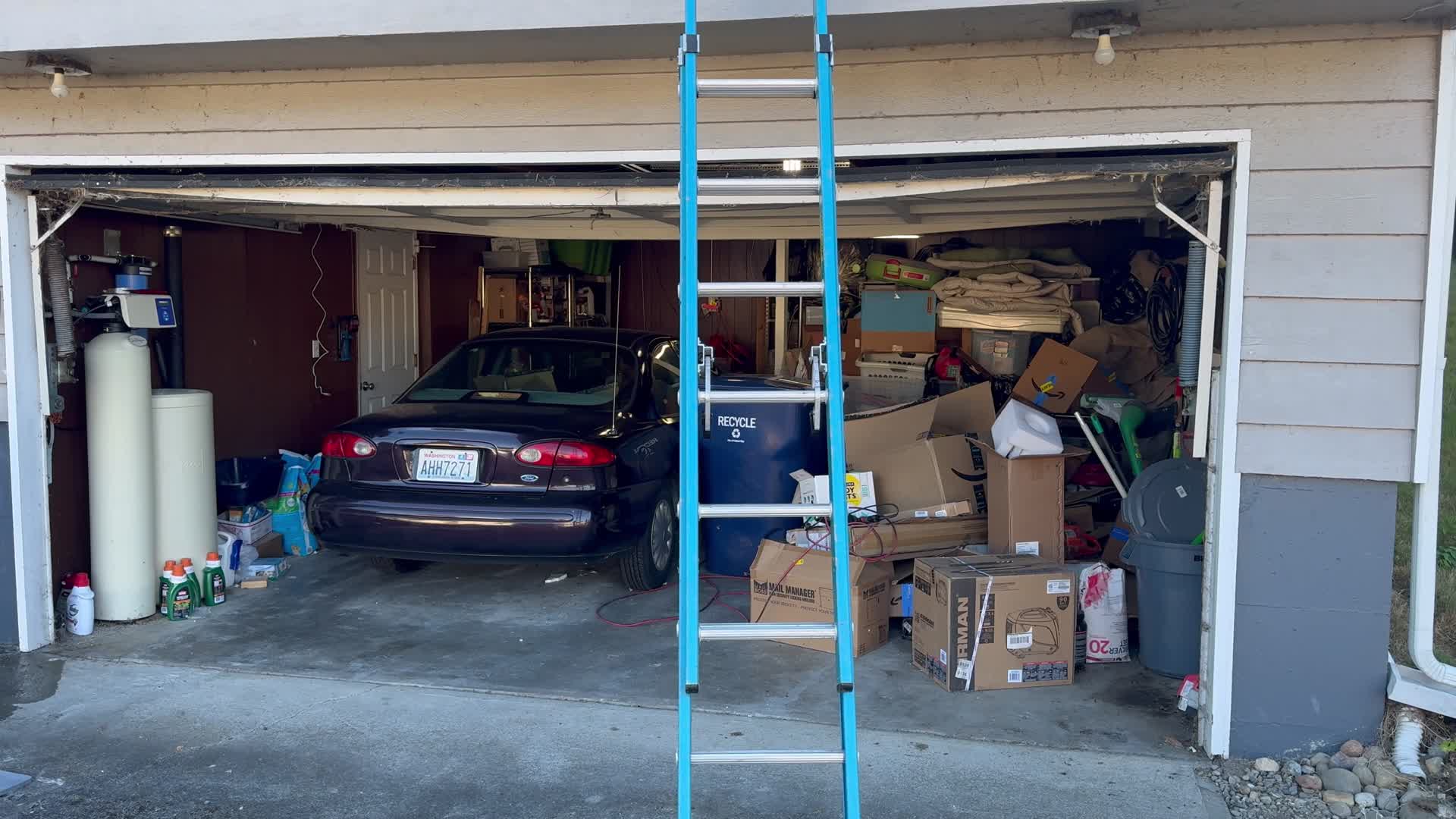
Growth goes to the garage. Rack servers and future bulk storage belong on the fiber backbone downstairs.
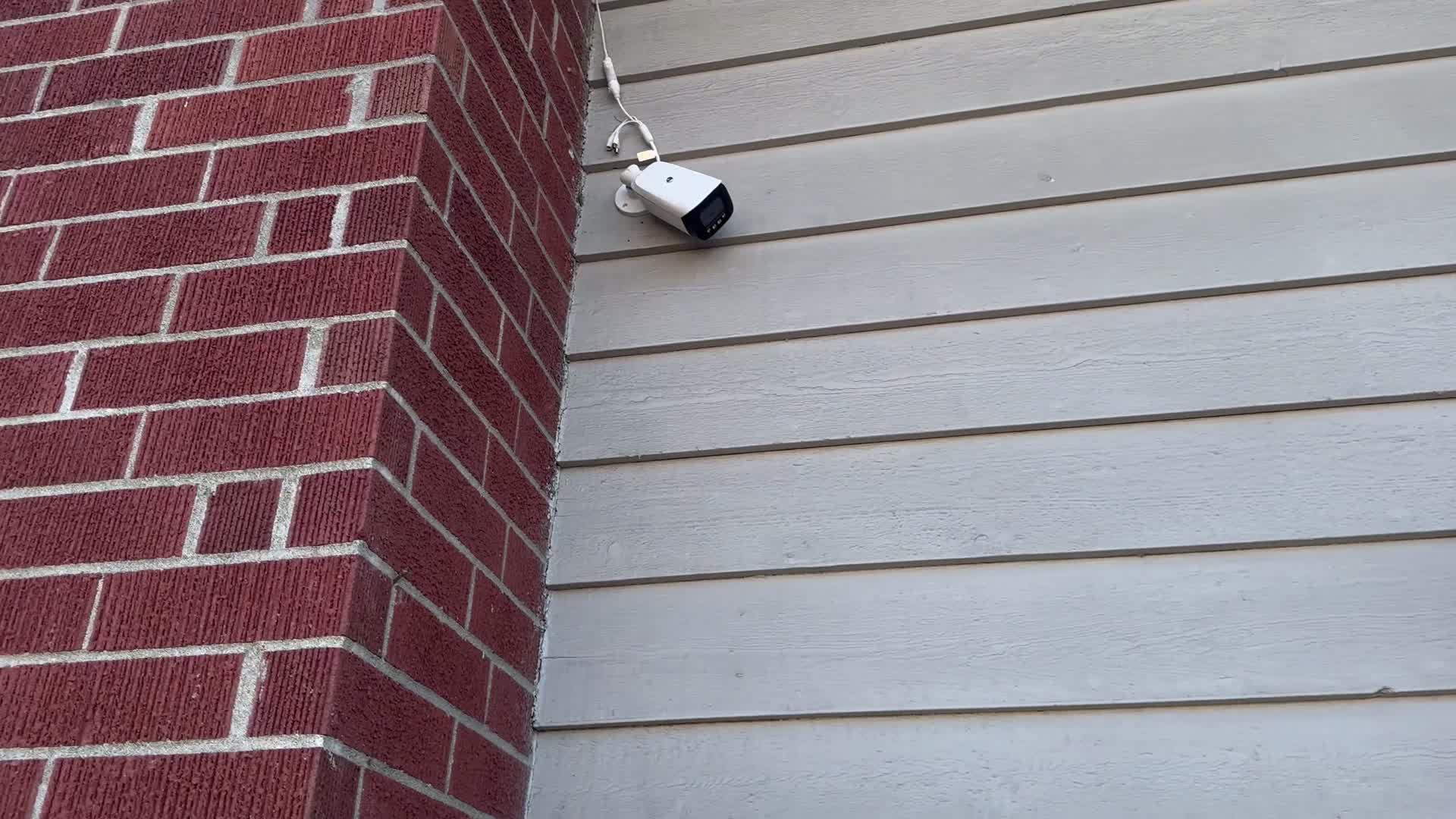
Open surveillance source. PTZ/IP cameras become ordinary CareTV network video sources rather than DVR-owned channels.
Terminology note: the camera reference is intentionally documented as PTZ; an accidental spoken “bullet camera” label in the source video is not carried forward.
12. First actionable beta
One Windows download. One launcher. One safe scan.
The first beta does not need AI or a distributed database. It needs to prove the permanent primitive:
Once that loop works reliably, background indexing, AI naming, local-NVMe migration, surveillance recording and cross-platform automation can layer on top without endangering the media.